# Volet/ADV Cash
**How to connect a Volet / ADV Cash merchant via API**
1\. Registration and obtaining Volet (ADV Cash) credentialsRegister or log in to the ADV Cash / Volet admin panel as a merchant/business.Complete verification by clicking on your nickname in the top right of the site. Verification usually takes up to 2 hours.Go to the For developers, in the dropdown menu when hovering over your profile in the top right of the site.You will see 2 items here - SCI is the merchant for receiving payments, API is for payouts.Go to the section Create a new SCI - Select ADV Cash.Save the following parameters:
* **Any SCI name -** the specified name that must be saved and later entered in the corresponding section in the admin panel as the SCI Name
* **The address of your exchanger's website**
* **Notification email -** the email where notifications about successful payments/payouts will be sent
* **Email to display in SCI -** this email is shown when a customer pays through the merchant. Usually the site's support address is entered here.
* **Password -** the specified password that must be saved and later entered in the corresponding section in the admin panel as the SCI Password
* **Successful transaction page -** [**https://\***](about:blank)**domain name\*/payment\_status/success**
* **Failed transaction page -** [**https://\***](about:blank)**domain name\*/payment\_status/fail**
* **Status page -** [**https://\***](about:blank)**domain name\*/callbacks/v1/receive\_money/advcash/textdemo5**
After saving the settings your application will be reviewed by the service technical department; it should be reviewed within a few hours. Once it is activated, you will see a corresponding notification in your account under “For developers”**The next step for full merchant setup will be configuring the API for payouts**
1. Go to the **For developers** in the dropdown menu when hovering over your profile in the top right of the site.
2. You will see 2 items here - API, which is the merchant for payouts, choose that one.
1. Save the following parameters: **Any API name -** the specified name that must be saved and later entered in the corresponding section in the admin panel as the SCI Name IP address - this is the IP address of your server where your exchanger is hosted **Password -** the specified password that must be saved and later entered in the corresponding section in the admin panel as the API Password
Also, check all 4 sections for extended operation access Balance retrieval by wallets - Will allow you to receive information about funds in your wallets Transaction search - Will allow you to easily find any transaction Transaction history - Access to transaction history Performing transactions - Here select only the first section “ADV cash”
1. After saving the data your application will also be reviewed by the service technical department, after which you will see the second checkmark in the “For developers” section indicating successful API creation. You only need to enter the remaining data into the fields in the admin panel API Name and API Password
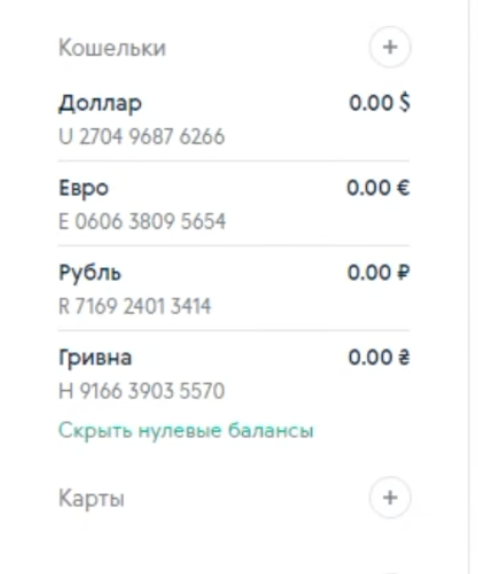
After finalizing the merchant setup, to complete the payout configuration, you need to go to General - Auto payouts, fill in the data you already have, and simply copy the wallets listed in your account and paste them into the corresponding fields of the admin panel.