# Crypto-cash
## Integration [Crypto-cash](https://v2.crypto-cash.world/)
### General description
Crypto-cash is a platform for receiving and automatically processing cryptocurrency payments that can be connected to the **Lara-Script** platform as a merchant and auto-payout service. The integration is done in a simple way and does not require non-standard settings from the admin panel
This integration allows:
* to generate addresses for receiving funds;
* to automatically check incoming payments for requests;
* to configure auto payouts and automatic directions (auto receive + auto payout);
* to use automatic conversion of funds to USDT.
### Fees and benefits for Lara-Script clients
* The standard Crypto-cash fee for receiving funds is **0.35%**.
* For clients who operate on the **Lara-Script**platform, the fee can be reduced to **0.2%** — for this you need to contact Crypto-cash support and indicate that you are using an exchanger based on the Lara-Script script.
Using Crypto-
cash is advantageous for exchangers because:
* the operations for receiving and paying out funds can be cheaper than most third-party services that are able to accept coins and networks that many popular exchanges do not accept;
* there is the ability to automate receiving and paying out funds without manual operations;
### Registration and creating a business account
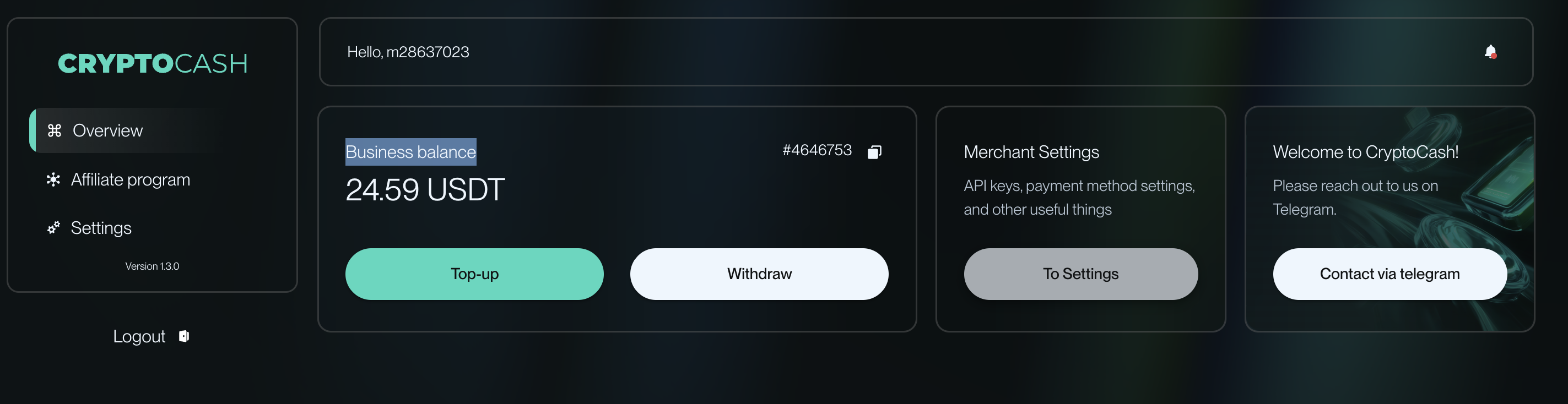
Registration and creating **Business Account** is done **on the Crypto-cash side** after standard registration and contacting the platform support.
> Note: the process of creating a business account may differ from regular registration and may require additional data. Details are clarified directly with Crypto-cash.
After creating a business account, the user gets access to generating API keys.
### Obtaining API keys
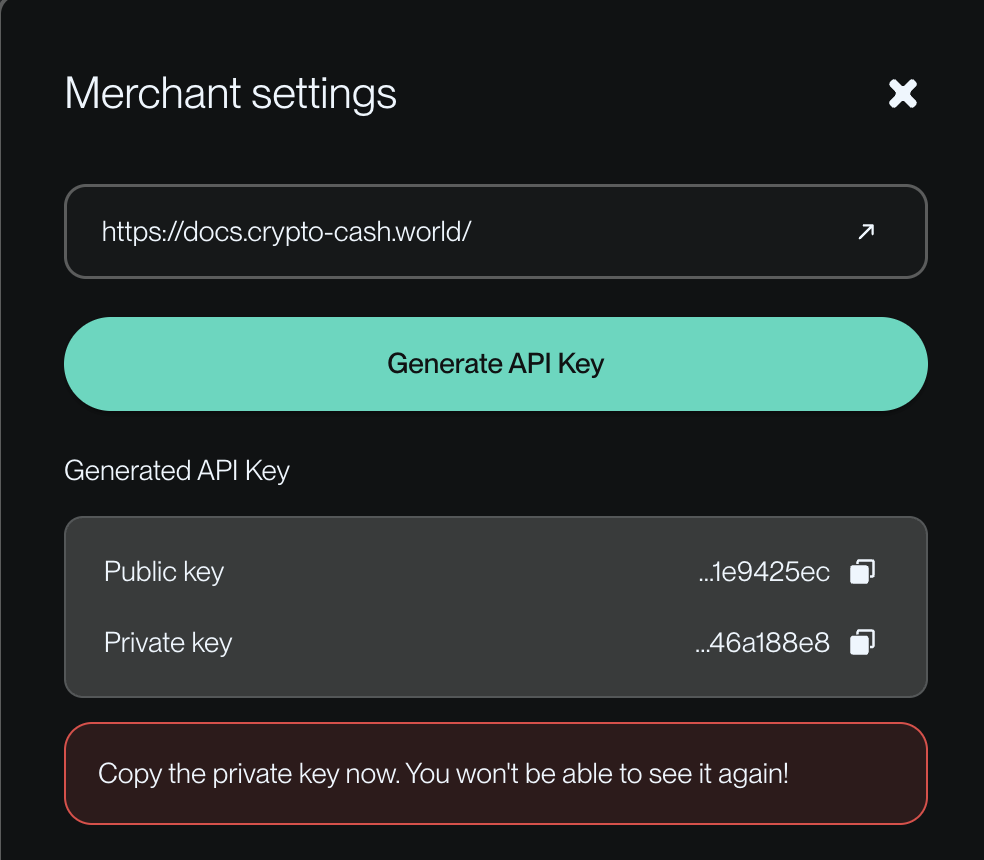
To connect Crypto-cash to the Lara-Script admin panel, you need to generate API keys.
#### Types of keys
* **Public API key**
* **Secret API key**
Keys are generated in the Crypto-cash business profile:
1. Go to account settings (`To Settings`).
2. Generate API keys.
3. Copy the public and private keys.
⚠️ Important:
* only **one set of keys**;
* can be active at the same time; when regenerated, the previous keys become invalid;
* it is recommended to save the keys immediately after generation.
### Adding Crypto-cash in the Lara-Script admin panel
#### Merchants → Crypto-cash
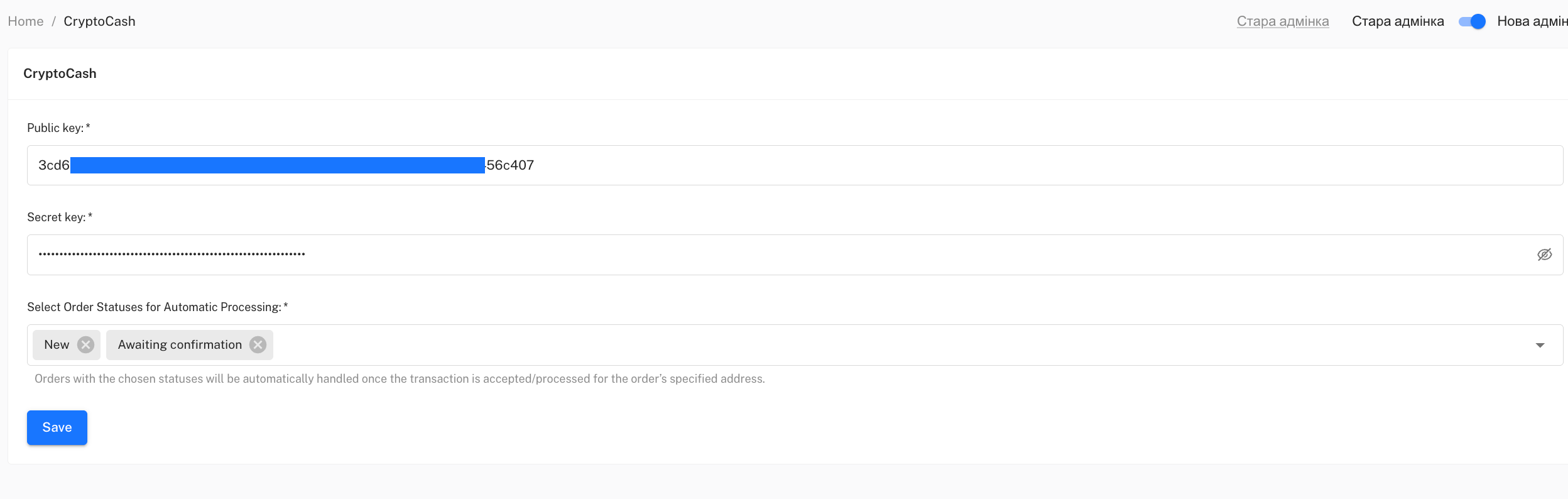
1. Go in the admin panel to the Merchants section.
2. Select the merchant section — **Crypto-cash**.
3. In the merchant editing fields, paste the keys obtained earlier:
* Public API key
* Private API key
4. Select **the request statuses**at which the system will check for incoming funds (Usually this is the status "New", "Awaiting confirmation**"**).
From the moment of adding **Crypto-cash** as a merchant, you will be able to add it as a merchant in the currency settings in the "Merchant" section. This means that generating an address for payment of a specific coin will be done to the specified wallet.
#### Checking request statuses
The system checks incoming funds for requests that are, for example, in statuses such as:
* **New**
* **Awaiting confirmation**
This is necessary for automatically checking whether the payment to the generated address has been made.
> This mechanism is similar to the logic used in the integration with WhiteBIT.
### Auto Payouts (Auto Payout)
Crypto-cash also supports configuring **auto payouts** provided keys are set in the "Auto Payouts" section and currencies are configured in the "Auto Payouts" section.
#### Configuring auto payouts
1. Go to the **Auto Payouts**
2. Find the Crypto-cash item and open editing.
3. Insert the same Public and Private API keys\
(keys are not shared between sections and must be specified separately in each).
4. Activate the auto payout toggle.
5. Save the settings.
After that:
* auto payouts can be used in exchange directions;
* full automation is possible — auto-receive + auto-payout.
For example: you have configured the USDT (BEP-20) currency with a merchant to receive Crypto-cash in the currency settings, the Doge currency is configured and the withdrawal method is configured in the editing of that specific exchange direction. In that case, as soon as the system sees the receipt of USDT (BEP-20) to the balance, it automatically converts them inside Crypto-cash to Doge and sends them to the address specified by the client, and your intervention in this case will not be required.
### Automatic directions and conversion
Crypto-cash supports automatic conversion of funds.
Example scenario:
* the user sends one coin (for example, TON);
* funds are automatically converted (for example, to USDT);
* then an automatic payout of another coin occurs (for example, ADA, previously purchased for the received USDT).
This allows building fully automatic exchange directions without manual intervention. \
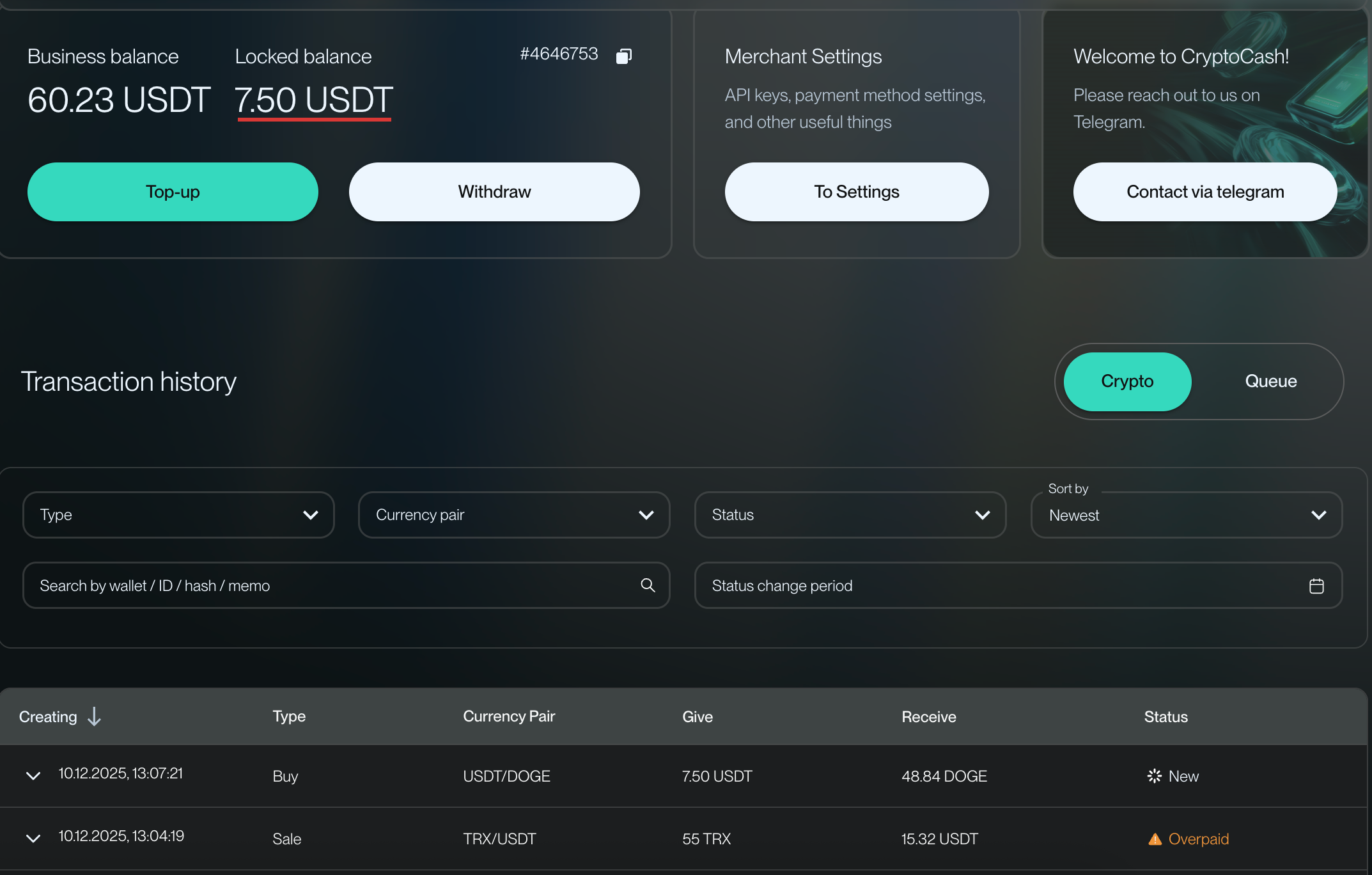
Even at the stage of creating a request on the web part of your site, a parallel request will be formed on the Crypto-Cash side in which the payment address, amount, currency and transfer status will be duplicated. In addition, if the client overpays or underpays on their request, this information will be adapted in the transfers list, and you will also be notified of this by the corresponding transfer status in Crypto-Cash.
During the currency conversion process and their sending to the client on the request, the funds on the platform will be held, and their balance will be temporarily marked as locked until the automatic transfer is completed
### Fees within operations
* The fee for receiving funds is 0.2% of the amount;
* The fee for sending funds, depending on the currency and network, can be fixed or percentage-based, [you can learn more about fees in the table.](https://docs.crypto-cash.world/crypto-list)
### Summary
Integration of Crypto-cash with Lara-Script provides: