# Categories
### **Currency categories**
Functionality **"Categories"** allows you to structure all available currencies on the site. This simplifies navigation for users and makes it possible to quickly find the required currency in the list.
For example:
* In the category **Crypto** you can add all cryptocurrencies (BTC, ETH, USDT and others).
* In the category **Banks** — bank cards and accounts (Visa, Mastercard, SEPA, SWIFT).
* In the category **E-wallets** — electronic money services (Skrill, Payeer, AdvCash, etc.).
### **How**
1. Go to the menu **General → Categories**.
2. Click the button **"+ Add"**, to create a new category.
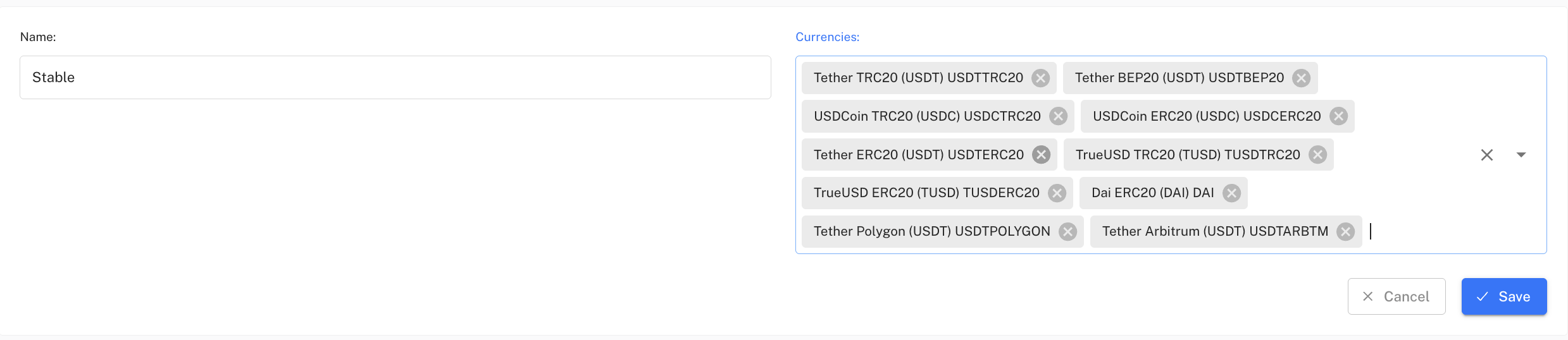
3. In the form specify:
* **Category name** (for example: Crypto, Banks, E-wallets).
* **List of currencies**that belong to this category. They are added from the list of already created currencies.
* **Display order** is chosen directly in the general list of categories.
### **Categories table**
All created categories are displayed as a table with the main fields:
* **ID** – unique category identifier.
* **Name** – the category name that is displayed on the site.
* **Number of currencies** – how many currencies are attached to this category.
* **Actions** – edit or delete the category.
### **Management**
* You can create an unlimited number of categories and add/remove currencies from them at any time.
* Categories can be edited without affecting the currencies themselves.
* Proper grouping of currencies greatly simplifies users' search for an exchange direction.